Part 1
Prototyping Your Immersive Experience – 360 & FrameVR
The lab exercise from week one allowed me to gain a brief understanding of how VR and 360 experiences work, and more importantly, allowed me to set one up using the camera settings within Blender that I had not previously explored. My initial thoughts were that a VR 360 video would require a lot more steps and a more thorough understanding of world-building and camera setups. This thought was soon dismissed. I began to create my 360 video, using previously created 3D assets to create a virtual arcade floor setup with retro game machines.
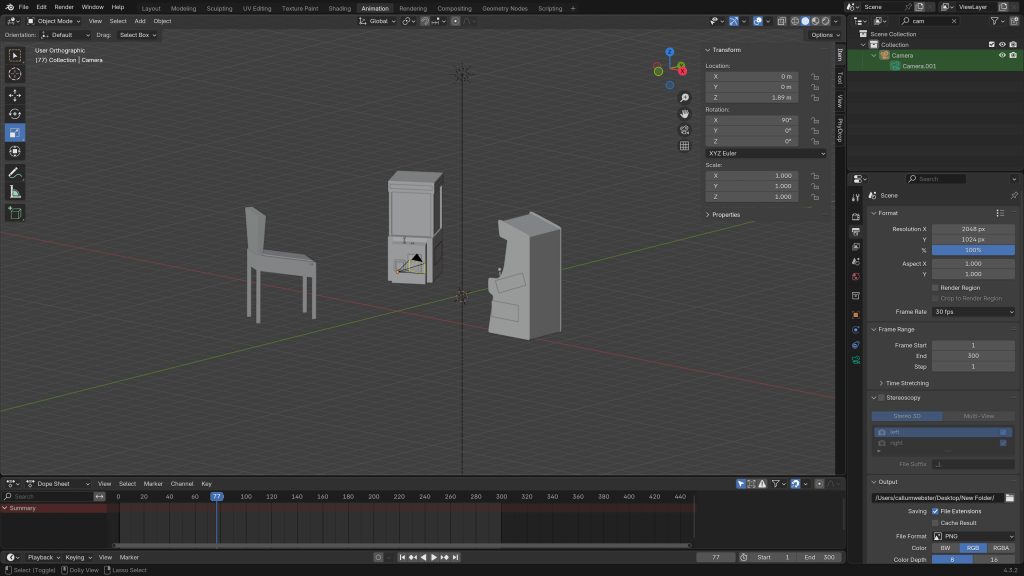
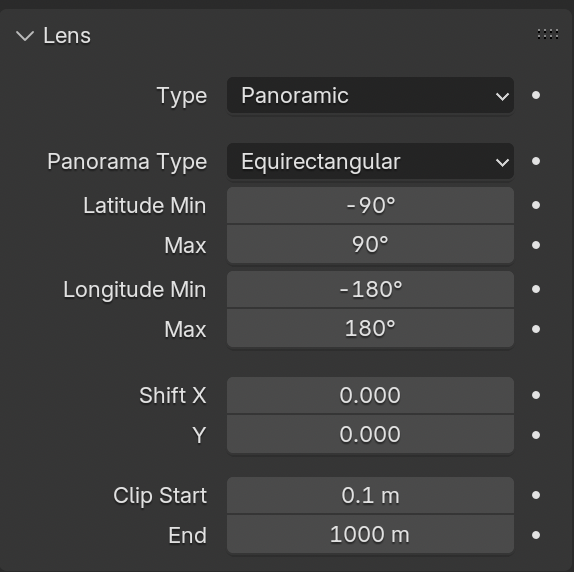
The first step I took to creating the 360 video was changing the camera type from the standard perspective, which is used to create 2D renders, to a panoramic camera with a equirectangular panorama type, I was able to check this had worked correctly by viewing my scene in the viewport shading tab with the camera selected, which showed all 3 objects within the frame although it was placed in the centre, this shows that the panorama is working as intended with a 360 panoramic shot of everything within the world.
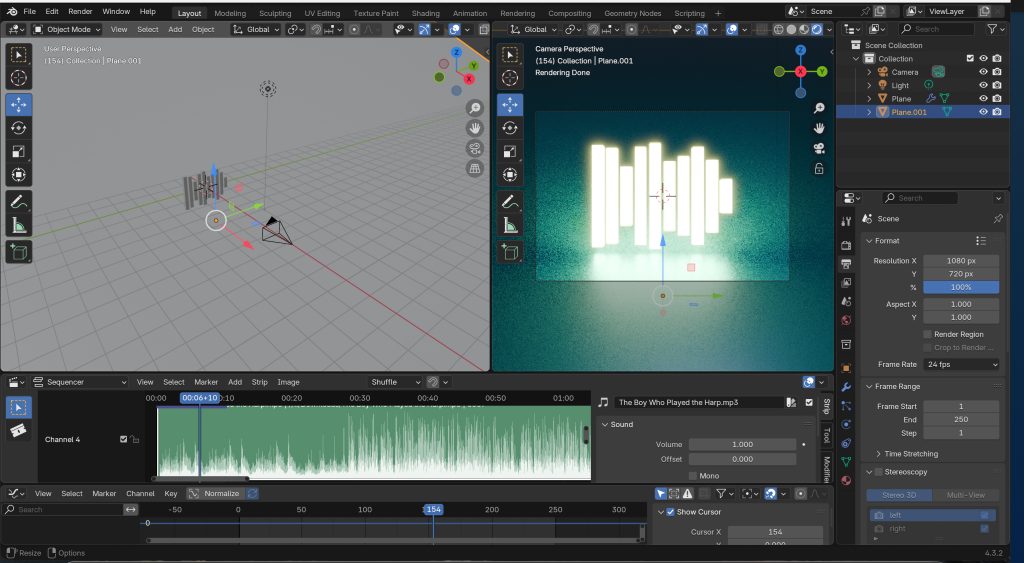
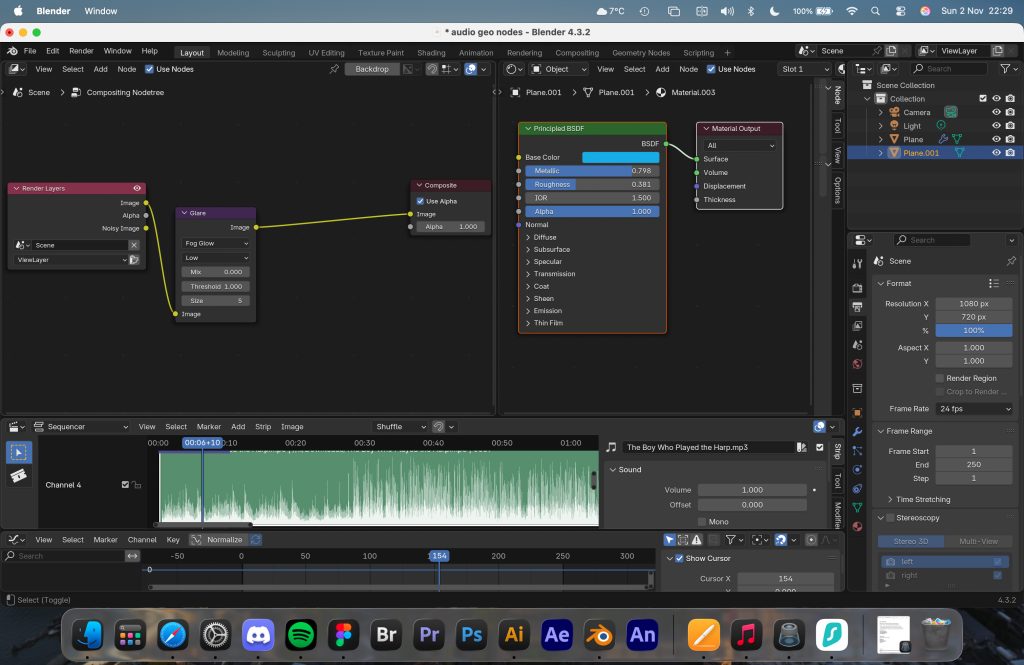
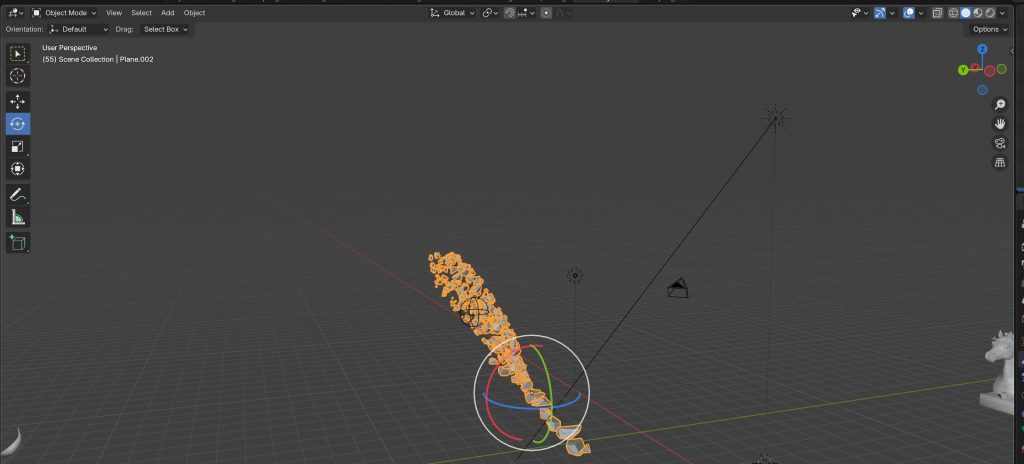
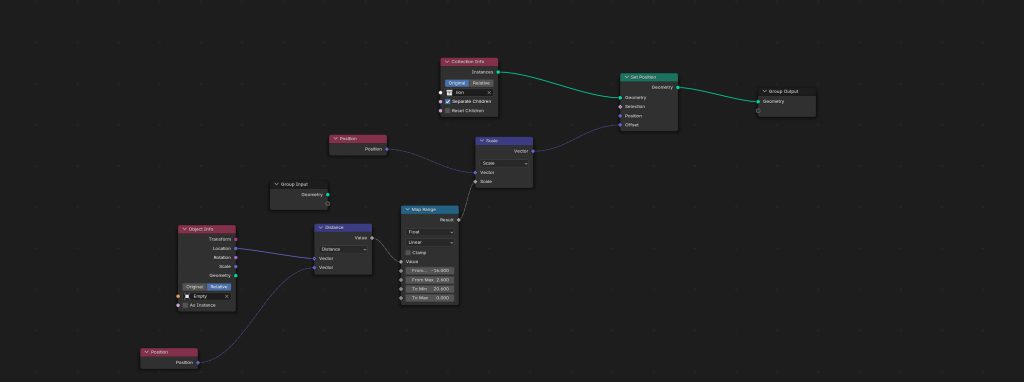
I progressed onto looking at how geometry nodes work and how they could be used to further enhance a 3D space, using geometry nodes to create an exploding model; there were some difficulties with this as I started to become quite complex with all the nodes that get added, I was unable to control the direction I wanted the fragments to go. When working with nodes to create an audio visualiser, it allowed me to think about how sound could play a role in immersive storytelling. One of the key reasons why they are able to play such a large role because the geometry nodes are non-destructive, meaning that any initial models can still be used and aren’t fully destroyed.
When I started working with Frame VR, I found it very intuitive. I was able to create a scene which showed a series of portfolio projects, and I was able to put them in different workspaces so that the user could navigate around the frame to find different projects in different areas. I was able to import 2D assets, as well as import video assets, and a series of 3D models that I’d created in Blender. The uses of Frame VR could extend beyond this. You could create a fully immersive experience that showcases portfolio work in the form of an art gallery, which could be used to showcase work or as a unique way to display your work for potential employers.
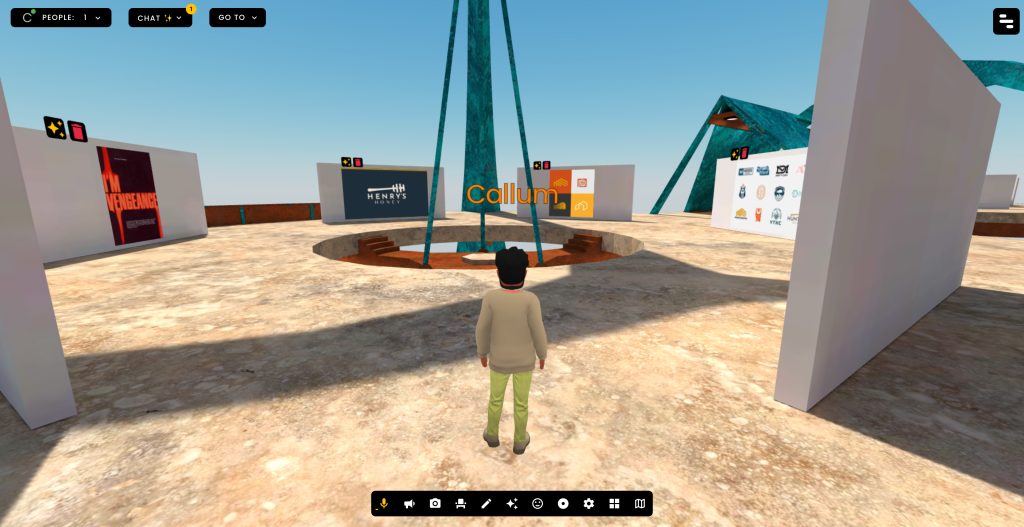
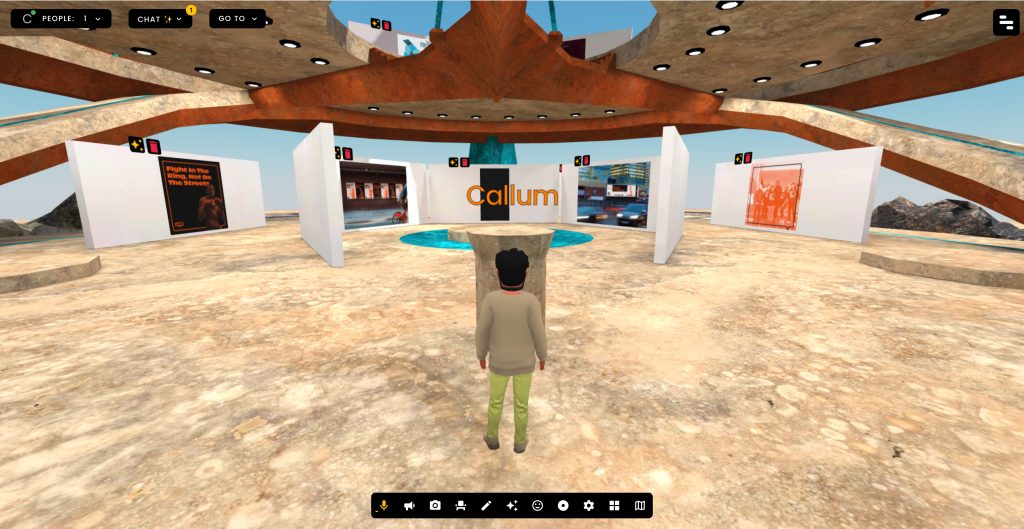
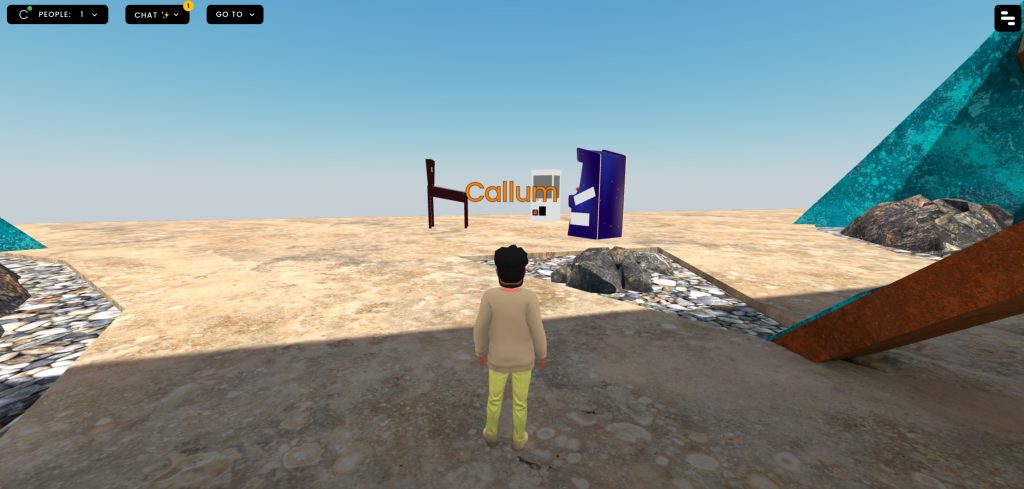

The following link will allow you to view my FrameVR workspace: https://framevr.io/callum3
8th Wall & AR – 500 words
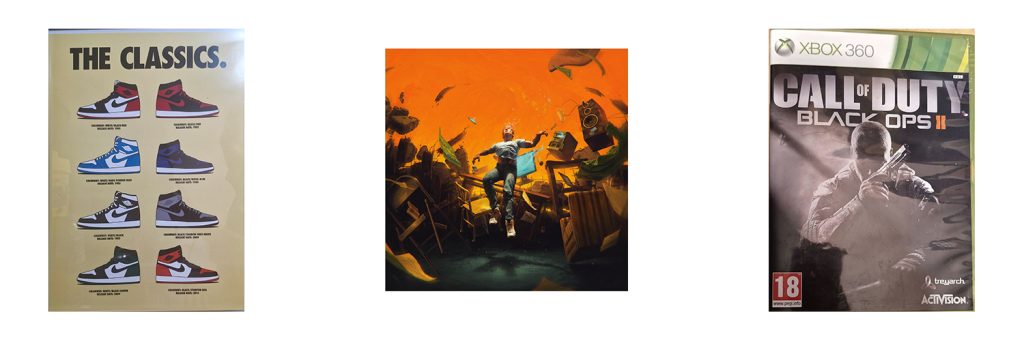
The above images show a QR code for the 8th wall project, along with the 3 image targets within the project for effective user testing.
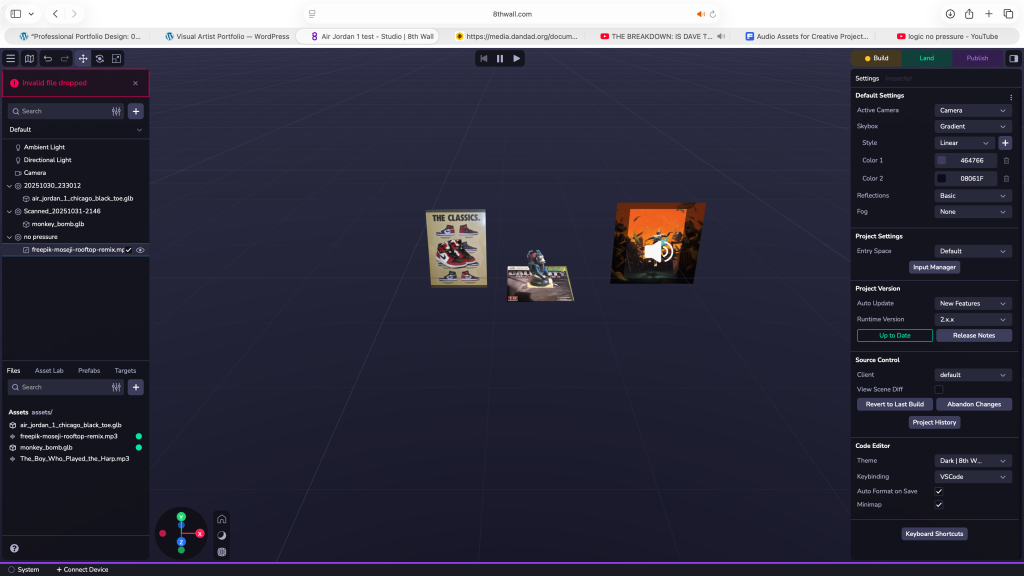
8th wall was the emerging technology that I initially struggled with most out of all of them. Once I got to grips with the user interface, I was able to create something that I quite enjoyed and I could apply to multiple areas of graphic design for my proposal. What I created was an interactive experience which made use of the image tracking features. I initially started with just a 3D Model of an Air Jordan 1’s which I found on Sketchfab. I used the poster I had on my wall, and the 3D model appeared once it was scanned with the 8th wall camera.
One of the ways I was able to improve the experience and make it more immersive was to add sound. I wasn’t sure if this was possible, but with trial and erro,r I was able to input a sound file into the project. The sound file works by following the same image tracking technique.
The experience has multiple pieces of interactivity, the first being the 3D model which was simply holding the camera to the image target, which worked as it should after a few attempt, the second interactive asset was the sound, this was enabled by tapping the screen where the image target is, which caused an issue with user experience; If I was to recreate the experience I would have insert a prompt for the user so they knew that they had to press the screen in order for the second stage of interactivity to be activated.
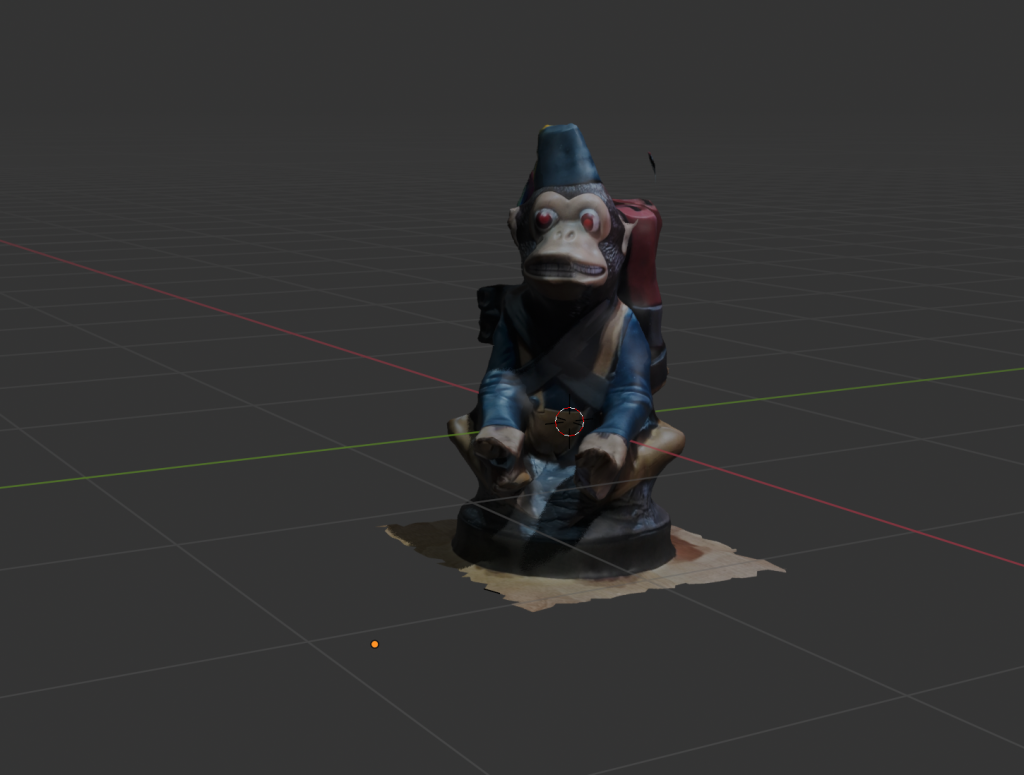
After looking at some of the possibilities in 8th wall I moved onto looking at how I could combine some of the initial ideas I had with real world objects by using the scanniverse app, I was able to scan a controller holder model that I had at my desk and input into 8th wall, one of the obstacles I had when doing this was that I was unable to crop the additional data that the camera had picked up, leaving me with the main model in the middle of the shot but a lot of excess blurry data making the desired model unusable. Although the model was not usable, I was still able to successfully import the data into 8th Wall. To get around this, I imported the model into Blender to delete the unneeded data to create a standalone 3D model. One downside to this is that it seemed to lose the quality of the main model, unlike it did when imported directly into 8th wall.
VR ART – 500 words
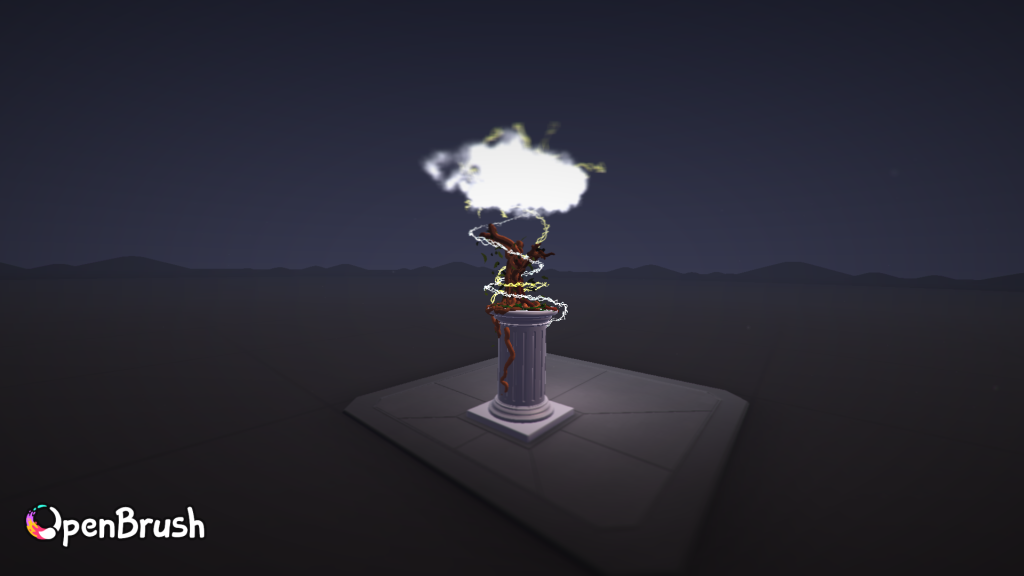
Whilst looking at VR art, I took 2 approaches: I looked at using OpenBrush software to create a piece of digital art and to experience a freehand drawing and painting experience within the VR world, and the second approach looked at using shapesXR due to its capabilities with UI design and compatibility with Figma. My VR art in open brush shows a depiction of an old dying tree sat on a pillar under a lightening storm, the initial idea was just to be an ancient tree but once I sat and used the open brush software and realised how calming it was, I ended up spending a little more time and adding in some details like leaves falling, clouds and grass. I used the pillar environment due to its allowing me a starting point, as the open canvas was quite intimidating. The use of the pillar also played a key part in my whole approach to creating VR art, as one of my restrictions was real-world boundaries; as I am working in a small office space, it allowed me to move around one fixed point and keep the art piece refined to one area. The variation of different dynamic tools and brushes allowed me to experiment with different things, for example, I set up a brown swatch with different thickness, colour and jitter applied so that each paint stroke for the tree was slightly different, allowing for a much more stylised wood pattern on the tree, creating a more organic look. One of the ways I would further improve this is to create a large fantasy style scene in Open brush and then build upon that with Openbrush animated timeline to make a moving experience in a 3D scene, alternatively the VR art scene could be exported into a 3D software such as blender and could be used to create a 360 video for an immersive story telling experience.
The second application and approach I took within the VR workspace was to look at the ShapesXR which is much more tailored to graphic design with its UI/UX and prototype capabilities, I explored how animations could be made through the use of stages working like keyframes and the use of actions allowing buttons to act as the interactivity between each stage, this could allow for further UI prototyping and even immersive worlds for training or storytelling experiences. One of the things I tried in ShapesXR was the Figma prototyping capabilities, I imported a previous Figma project in with 2 different approaches, I was able to bring frames from my Figma file, these were not interactive but due to the borders and UI, they looked appropriate for the VR workspace, whilst the other method allowed me to bring in a prototype that worked in VR but it had blacked borders creating something that was not visually appealing in the VR workspace, in future instances I would experiment with creating a version that looks appropriate for VR whilst serving as a working prototype.
Part 2 – Proposal
Intro & Overview
So far during my journey with this module, it is evident that the exploration of new and emerging technologies seems to come with some obstacles due to new software and ever-changing technology and software, although these obstacles are in place, it also makes for some unique and fresh projects and ideas. It is a common theme that elements within the traditional graphic design world seem to be reused and repurposed as time goes on, as there are only so many original ideas, but with the implementation of these new technologies such as Virtual, augmented and mixed reality, it opens the door to new experiences and original ideas which is something that seems exciting within the industry.
Whilst working on my professional portfolio design module, alongside this, and the research surrounding both modules, it has led me to the conclusion that I need to tailor my work towards real world industry skills and how I can apply them to the best of my abilities, this is something that was quite daunting when stepping into this project due to the idea of these new technologies and that I wasn’t able to see how I could effectively apply them to my next steps and career goals. During this proposal, I will try to uncover ways in which I can achieve this.
With all of this considered, the project I will be undertaking will be a short editorial magazine which is enhanced by an augmented reality experience to further enhance engagement, where each spread allows you to dive deeper into the article by expanding on stories in an AR space with the use of audio and visuals. The emerging technology that I am looking at incorporating into the creation of the augmented experience consists mainly of 8th wall, due to the main focus being AR, with secondary technologies such as Blender, open brush and splats to help gather the imagery, artwork and models that will appear within the created articles of the magazine. The editorial magazine I will be creating will be called Lustrum, which comes from Latin, meaning a period of 5 years; the magazine will be exploring the past 5 years in black British music and culture, exploring elements of identity, belonging, authenticity and community. The project is going to be tailored to young adults ranging from the ages of 18 to 35, creatives that are engaged with contemporary music, arts and culture, especially within ethnic communities in cities like London, Manchester and Birmingham; with a range of music interests such as R&B, rap, drill, grime and soul.
Some of the considerations that will need to be taken of the course of the creation of Lustrum revolve around accessibility and function, whilst also making sure the ethical and cultural considerations are in place to create an inclusive project. Look at specific considerations such as:
Representation – Due to the topic of black music and culture, the content within the magazine needs to be an accurate and respectful representation as its tied directly to individuals’ lived experiences and identity.
Sensitive Topics – Certain social topics and cultural music, such as rap and drill and thinking about what content is shown through the use of audio and visual and understanding the implications it may have on underage consumers or even glorifying negative behaviours.
Audio Accessibility – Scenes within the experience which may have audio need to be considered due users’ potential hearing impairments, also the inclusion of visual audio cues so that the user is aware of additional audio features.
Video Accessibility – To allow users with visual impairments to experience the AR, contrast in text should be considered, also allowing an audio description of the visual may help to improve immersive storytelling.
Device Accessibility – When creating visuals for AR, it’s important to ensure that the file sizes are kept lower so the experience will work on a range of different smart devices to avoid excluding potential users.
One of the real-world case studies that was looked at during the research stage of this project was 19 Crimes Wine’s interactive AR bottles, the way a normal everyday product on the shelf was able to become something more by using AR as a marketing tool and playing into the brand’s image and showcase real historical stories of infamous individuals. One of the issues with the 19 Crimes AR experience is that although it is an interesting marketing tool, it is not always clear to the user that it is interactive due to the lack of a visual cue on the front of the bottle. This is something that will be considered during the magazine cover design, enhancing the user experience.
Another brand that maximises its use of emerging technologies is National Geographic, with different marketing campaigns such as ‘What will the earth feel like in 2020’. The Earth Day campaign was all about showing users the effects of global warming in 50 years’ time. It took use of a virtual magazine cover with a 3D model of the globe extruding out of the cover made with Meta SparkVR software. The technology was used to inform users in an engaging manner by using AR, infographics, UI/UX and traditional graphic design principles. The first thing shown on the screen, along with the globe, is a 2D overlay showing the message ‘Tap to Continue’ which is a key part of the user’s journey; it is the initial indicator that it is an interactive experience. The way in which they use the yellow pulsating buttons within the globe model works as a clear visual cue to the user to progress to the next piece of the infographic; this is further enhanced by the high contrast of their yellow brand colour. All these features allow for clear and emotionally driven storytelling to inform the user about climate change and persuade their future actions.
Project Plan
A 9 week project plan with milestones starting from 03/11/25 to 05/01/26:
| Phase | Steps | Tools | Timeline |
| Research & Development | Define the structure of my editorial spreads, how many pages, research similar magazines, art styles, and AR experiences that do a similar approach within editorial. Define the tone of the magazine and identify the main articles that the AR experience will revolve around. Create mood boards and initial sketches. | Trello, Pen & Paper, Google | W/c 03/11/25 2 weeks |
| Content & Asset Creation | Curate suitable content for the pages and articles within the editorial piece. This will allow the development of the assets that will be used within the articles. Gather supporting visuals, experiment with type, colour and layout to create spreads that match the magazine’s tone. | Blender, Open Brush, InDesign, 8th Wall, audio software, Scanniverse | W/c 17/11/25 2 weeks |
| Editorial & Visual Design | Further develop the Magazine spreads and start to gather 3D and audio assets. Put together appropriate branding along with a cover for the magazine, begin to integrate QR codes for the 8th wall project into the editorial and think about the best place for image tracking. Create a fully prototyped editorial magazine, leaving space for the AR | InDesign, Illustrator, Blender | W/c 01/12/25 2 weeks |
| Testing | Begin to put all of the assets together within one singular project; Editorial spreads, 3D models and scans, audio, brand assets, QR codes, using 8th wall to start building and testing the experience works coherently and as it should. At this stage, testing should take place on each page and for each interaction, ensuring that there are visual cues where they are needed so users can clearly identify where they are. Conduct tests from users who are unfamiliar with the project and record results, and amend where necessary to further improve the prototype. | 8th Wall, audio software | W/c 15/12/25 2 Weeks Christmas Period |
| Refine & Polish | At this stage, it’s time to finalise the project, prepare the magazine for print if it is a viable option, or if not, get ready to create the magazine into an ebook. Make any last refinements to the experience. Document the design process and evaluate how the magazine demonstrates the role of emerging tech within graphic design. | Acrobat, InDesign, 8th wall | W/c 29/12/25 1 Week New Year Period (Submission on 05/01/26) |
User Stories
To build a series of user stories which will help enhance the direction of the Lustrum Magazine, it is crucial to consider the user’s journey whilst in the AR experience, focusing on how the user engages with both the print and augmented layers, which helps to discover their needs, motivations and outcomes.
User 1 – The Distracted Reader
- Pain Point – “Traditional magazines feel boring and static, and I find it difficult to connect with the stories or engage with the articles”
- Solution – Lustrum uses an AR experience with interactive storytelling capabilities to draw the user in. Whether they lose focus easily or have reading difficulties, the AR technology will have a VoiceOver to help with engagement.
- Outcome – The user becomes more engaged with the stories and creates a unique learning experience for the user.
User 2 – The Music Enthusiast
- Pain Point – “Music journalism often feels like it’s lacking emotion due to the absence of the music you are reading up on”
- Solution – Lustrum will allow music surrounding the specific article to be played and paused so the user can have further insight into what the song or album is all about.
- Outcome – The magazine became a larger piece of mixed media, spreading multiple art forms to give the user a broader experience like no other on the market.
User 3 – New AR User
- Pain Point – “I have never used AR, How can I make the most of this magazine?”
- Solution – Lustrum has two main focuses: traditional media and augmented reality. People are much more familiar with traditional printed media so this will be used with clear instructions on how to fully tap into the storytelling experience that Lustrum provides.
- Outcome – The user is able to fully comprehend how to follow the instructions and access the AR features in the experience.
Taskboard
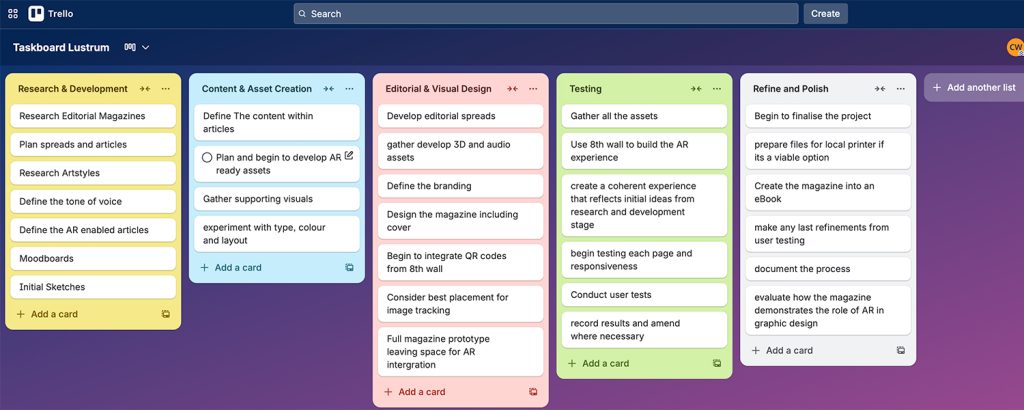
Using Trello as a task board will help me track that I am keeping up with my weekly and daily goals to ensure I am reaching the milestones effectively to ensure that the project plan is a success. It has allowed me to make a more in-depth list of the milestone objectives.
Storyboard
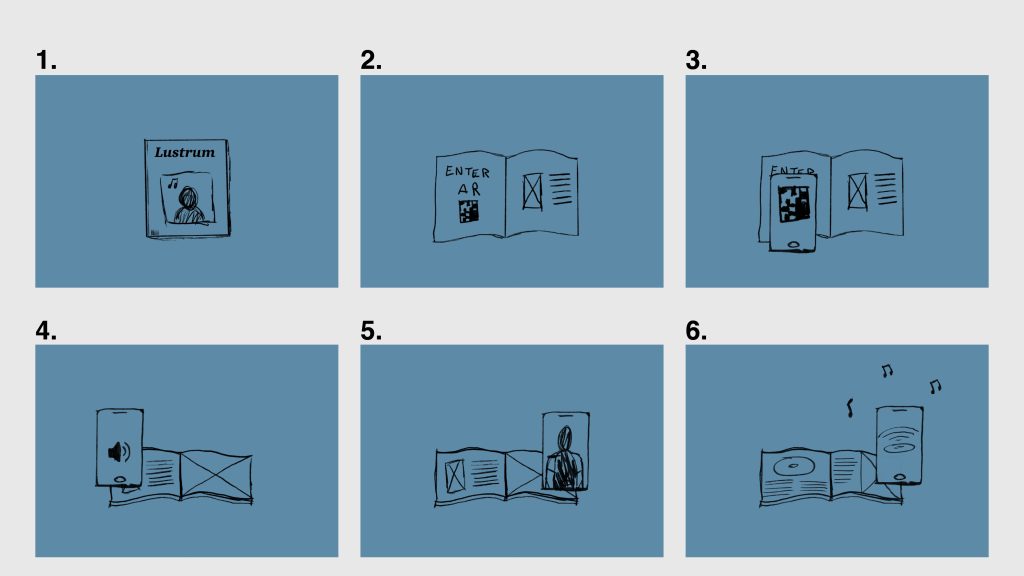
The storyboard shows a series of six slides that will demonstrate the user journey through the experience and how the user interacts with Lustrum:
- Board 1 – This shows the first step within the user journey; the user finds the magazine, drawn to its unique cover design and topic.
- Board 2 – Upon opening the first page, they are greeted with a contents page, a brief summary of the magazine, letting the user know that it is an interactive experience and clear, bold and identifiable instructions on how to access the experience.
- Board 3 – This shows the user opening their phone to enter the experience by following the instructions.
- Board 4/5/6 – This is a visualisation of the types of interactions being used in the experience. Board 4 visualises the sound being played within the AR experience, which would be a speaking manuscript of the article in question, which would work well for visually impaired users. Board 5 visualises AR showing imagery to improve Lustrum’s storytelling experience, and the final board shows the musical side to Lustrum, looking at musical articles and allowing to hear snippets of the song through the use of AR to complete the user’s experience.
Reflection & Justification
The direction of this project and the emerging technologies I have chosen to explore are largely informed by how I can tailor my educational projects to real-world creative scenarios while finding new and inspiring ways to merge traditional graphic design practices with the technologies shaping the modern world. Augmented Reality felt like the most interesting medium to capture the evolving landscape. Although the technology is not yet used to its full potential, AR presents a compelling opportunity for innovation within branding and storytelling; Such as 19 Crimes, which integrates AR into its brand identity, and National Geographic’s Earth Day campaign, which used immersive experiences to engage audiences with environmental issues, highlight how AR can enhance storytelling depth and consumer connection. IKEA’s Place app exemplifies how AR can refine the customer journey by allowing users to visualise products in their own spaces, reducing returns and strengthening brand trust.
AR, and particularly WebAR, is considered an emerging technology due to its increasing adoption by large brands and its transformative impact on consumer interaction. Studies have shown that over 55% of participants find AR shopping more enjoyable and engaging than traditional online experiences. Other than e-commerce, AR’s influence on the design industry is constantly growing and adapting, with companies integrating it into packaging, advertising, and branding to create dynamic visual experiences.
For Lustrum, success would depend on how seamlessly AR enhances rather than distracts from the magazine’s narrative, creating a meaningful bridge between print and digital engagement. The project’s effectiveness will lie in its ability to make readers feel immersed in the cultural stories being told, while demonstrating AR’s potential as an enjoyable storytelling tool. This approach also aligns with current trends in interactive media, where audiences increasingly seek multisensory, participatory experiences that extend beyond traditional print or screen-based communication. By combining physical and digital design in an accessible, culturally relevant way, Lustrum would position itself at the forefront of an evolving movement redefining how design communicates in an extended reality era.
References
National Geographic (2020) Nat Geo’s Instagram interactive shows what the world will feel like in 2070 – Earth Day AR experience. Available at: https://www.nationalgeographic.com/pages/article/earth-day-instagram-ar-experience(Accessed: 23 October 2025).
ARPR (n.d.) Augmented reality advertising: 10 powerful examples of branded AR campaigns. Available at: https://www.arpr.io/blog/augmented-reality-advertising-10-powerful-examples-of-branded-ar-campaigns (Accessed: 1 November 2025).
Rock Paper Reality (n.d.) Out-of-home advertising examples – AR use cases. Available at: https://rockpaperreality.com/insights/ar-use-cases/out-of-home-advertising-examples/ (Accessed: 1 November 2025).
Exploding Topics (2024) 24+ Augmented Reality Stats (2024-2028). Available at: https://explodingtopics.com/blog/augmented-reality-stats (Accessed: 1 November 2025).
Koscinski, R. (2021) The future of graphic design: VR & AR readiness. Medium. Available at: https://medium.com/@rkoscinski07/the-future-of-graphic-design-vr-ar-readiness-422454ebc28d (Accessed: 20 October 2025).
Sketchfab (n.d.) Air Jordan 1 Chicago Black Toe 3D model. Available at: https://sketchfab.com/3d-models/air-jordan-1-chicago-black-toe-60804072d9614d2f943ba379fbb642a8 (Accessed: 25 October 2025).
