Using Figjam to create a user flow diagram was an essential part of the UI/UX design process for the ForceFlix companion app, It is an essential step to help visualise what is needed for a seamless and engaging user experience; while also working as a way for the designer to put themselves in the users point of view. The user flow diagram below uses ovals as start and end points, rectangles as process/action points and diamonds as decision points; this helps to identify each step and keep a clear understanding of the users journey.
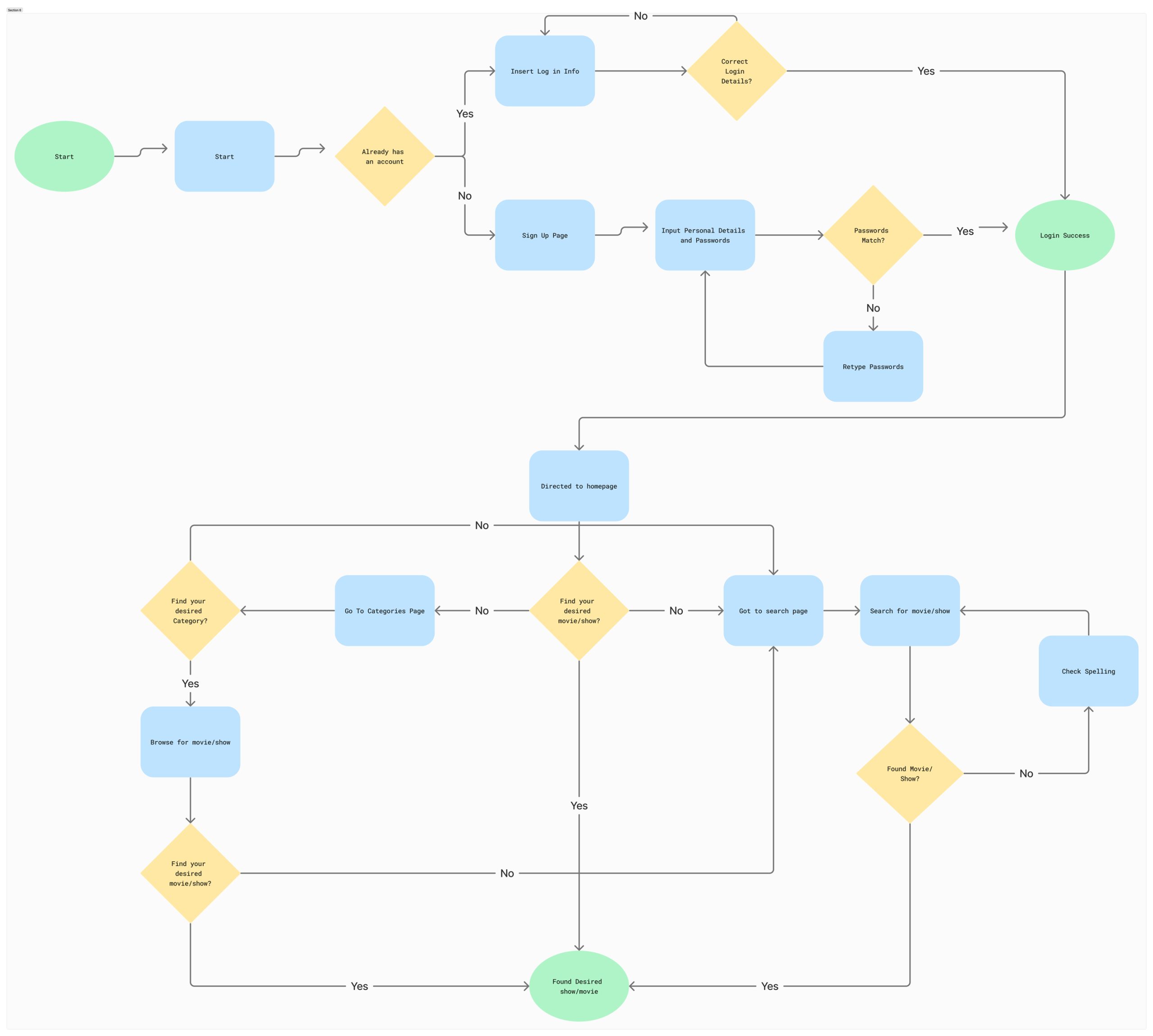
The user flow diagram has a start process(Green) and works its way towards the first goal, which is a successful login or onboarding process, this is the first goal the user needs to tackle in order to gain entry into the ForceFlix app. The next part of the user journey diagram has the main goal of the user finding the content they wish to watch; giving users the option to find a movie from the home page, search page or categories page. The more options an application has, the more in-depth a user flow diagram is.
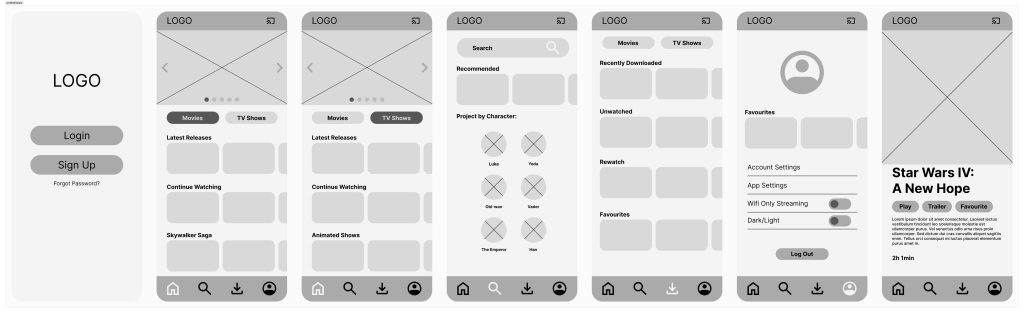
The user flow diagram had a large influence on the UI wireframes as it allowed the design to begin to take shape and visualise what the flow would look like laid out on a screen, which in turn meant that the effectiveness of design elements could be evaluated. The wireframes helped create a basic structure of the streaming app so further down the line, in the prototype phase, the high-fidelity elements are able to be directly inserted into the app. Creating the wireframes helped to structure the base of the design, looking at elements that should be included and removed based on what would create a greater user experience.
